
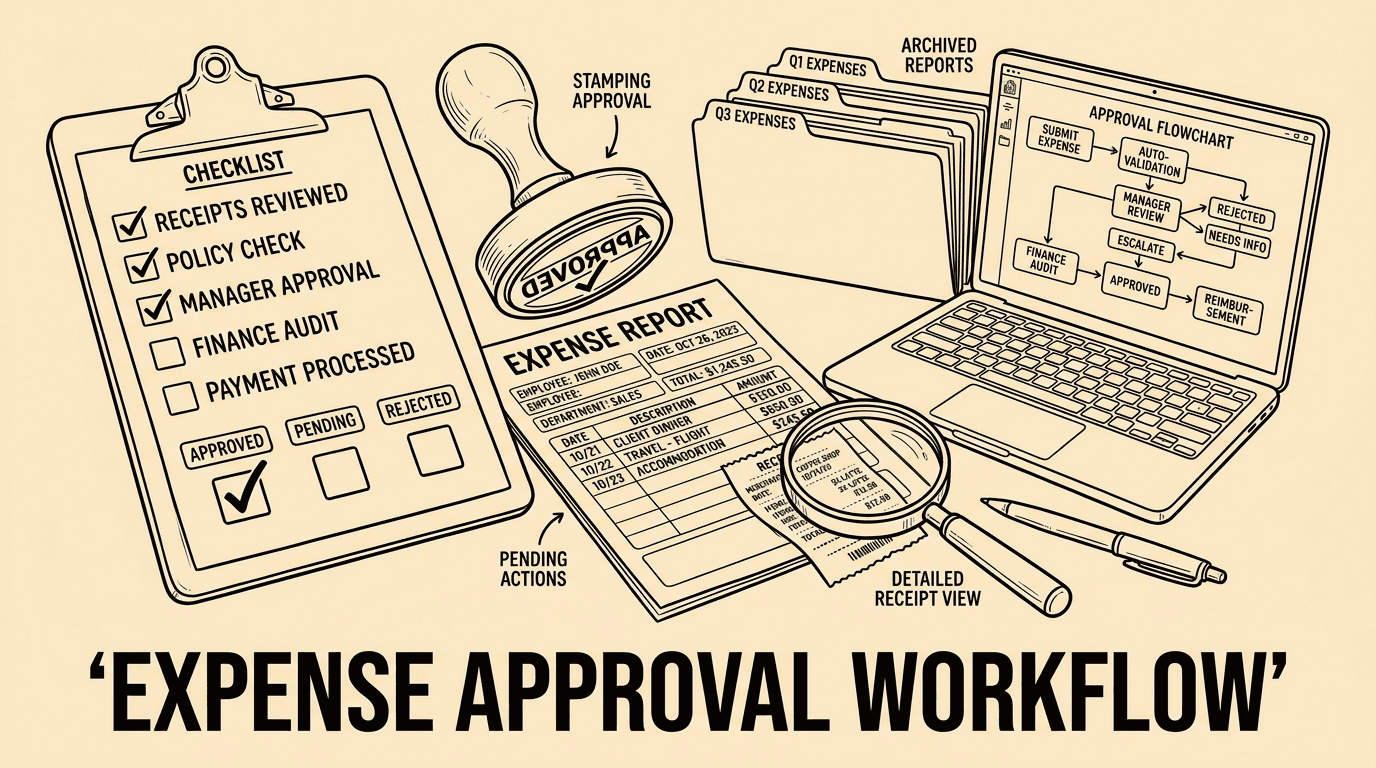
Every euro or pound spent on business expenses starts a journey through your organisation. Whether it's a train ticket, a client dinner, or a software subscription, that expenditure needs to reach the right person for approval before it can be reimbursed or settled. Without a clear expense approval workflow, businesses lose money through duplicates, mistakes, and outright fraud — while finance teams drown in paperwork.
In this guide, you will learn how to design an approval workflow that is efficient, transparent, and scalable — whether you are a five-person startup or a 500-person enterprise.
Why Expense Approval Workflows Matter
An expense approval workflow is the sequence of steps through which a submitted expense claim travels before it is authorised and paid. Without a structured process, even small businesses face serious problems:
- Overspending: Employees purchase items that fall outside policy without anyone noticing until month-end.
- Duplicate claims: The same receipt submitted twice, weeks apart, can slip through manual checks.
- Delayed reimbursements: Approvers on holiday mean employees wait weeks to be paid back for legitimate costs.
- Audit risk: Missing receipts and informal approvals create gaps that regulators and auditors find uncomfortable.
Research by the Global Business Travel Association shows that processing a single paper-based expense claim costs between EUR 15 and EUR 25 on average, compared to under EUR 5 for automated digital claims. Multiply that across hundreds of claims per month and the savings are substantial.
The Four Core Stages of an Expense Approval Workflow
Regardless of company size, every effective expense approval workflow contains four fundamental stages.
1. Submission
The employee captures or uploads a receipt, fills in the required fields (amount, category, date, business purpose), and submits the claim. Modern tools like Bill.Dock let employees photograph receipts on their phone and submit instantly — eliminating paper altogether.
Key design decisions at this stage:
- Mandatory fields to prevent incomplete submissions
- Receipt attachment requirement for claims above a threshold (commonly EUR 10–25)
- Category selection to enforce policy rules automatically
- Currency and VAT handling for international expenses
2. Routing
Once submitted, the claim must reach the right approver automatically. Most organisations use one of three routing models:
- Line manager approval: All claims go to the employee's direct manager. Simple but creates bottlenecks when managers are absent.
- Policy-based routing: Claims under EUR 100 auto-approve; claims between EUR 100–500 go to the line manager; claims above EUR 500 escalate to the finance director. Faster for low-risk items.
- Category-based routing: Marketing expenses go to the CMO; IT subscriptions go to the IT lead; travel claims go to operations. Ensures domain expertise in each approval decision.
The best workflows combine all three: policy-based thresholds as a first filter, category routing as a secondary filter, and line manager as the fallback. Automated expense tools handle this logic without manual configuration per claim.
3. Review and Approval
The approver receives a notification, reviews the claim, and either approves, rejects, or sends back with a query. Best-practice design principles at this stage:
- Mobile approval: Approvers should be able to action claims from a smartphone during commutes or travel. Delays caused by "I'll look at it when I'm at my desk" are avoidable.
- Rejection with reason: Every rejection must include a written reason so the employee understands and can correct the submission.
- Escalation rules: If an approver does not act within 48 hours, the claim automatically escalates to a backup approver.
- Delegation: During planned absence, approvers can delegate authority to a colleague for a defined period.
4. Payment and Reconciliation
Approved claims move to payment. This can mean reimbursement to the employee's bank account, a charge to the company credit card, or a booking in the accounting system. Key considerations:
- Payment cycle frequency: weekly reimbursements keep employees happy; monthly cycles align with payroll but may frustrate those who paid out-of-pocket.
- Accounting integration: approved claims should flow automatically into your bookkeeping software (DATEV, Xero, QuickBooks) without re-entry.
- VAT extraction: for DACH markets, each receipt line must carry the correct VAT rate to enable input-tax reclaim.
Designing for Compliance and Auditability
A well-designed workflow is not just about speed — it must also create a clear audit trail. Every approval action (who approved, when, from which IP or device) should be logged immutably. In the event of a tax audit, you must be able to demonstrate that:
- The expense was submitted with a valid receipt.
- An authorised manager approved it.
- The approval happened before or at the point of reimbursement.
- The claim has not been duplicated.
GoBD-compliant systems in Germany, for instance, require that digital receipts are stored in a tamper-proof system for at least ten years. Cloud expense management tools that maintain a full audit log satisfy this requirement out of the box.
Common Workflow Design Mistakes
After studying hundreds of small and medium businesses, several recurring mistakes stand out in expense approval design:
- Too many approvers in sequence: Requiring three sequential approvals for a EUR 30 taxi fare wastes everyone's time. Reserve multi-level approval for high-value or policy-sensitive claims.
- No clear policy baseline: An approval workflow without an underlying expense policy is like a referee without rules. Define what is reimbursable, at what rates, and with what documentation before building the workflow.
- Manual exceptions: "Just email me the receipt" is a workflow killer. Every exception must go through the system, or the audit trail breaks.
- Ignoring international complexity: If your team travels across borders, your workflow must handle multiple currencies, VAT reclaim rules, and country-specific per diem rates.
Automation: Where Technology Transforms the Process
Manual approval workflows rely on email threads, spreadsheets, and physical signatures — all of which introduce delay and error. Automated expense management systems like Bill.Dock transform the process by:
- Using OCR to read receipts and pre-fill submission fields automatically
- Applying policy rules in real time (flagging out-of-policy amounts before submission)
- Routing claims to the correct approver without any manual assignment
- Sending approval reminders to prevent claims aging beyond 48 hours
- Exporting approved data directly to accounting systems
- Maintaining a searchable, date-stamped audit trail accessible to auditors
Businesses that transition from manual to automated approval workflows typically report a 60–80% reduction in processing time per claim, according to case studies from expense management providers.
Practical Steps to Redesign Your Approval Workflow
- Map your current process: Interview approvers and submitters. Document every step, every handoff, every exception. Identify bottlenecks and manual workarounds.
- Define your expense policy: If you do not have a written policy, create one before touching any system. Specify categories, limits, receipt requirements, and pre-approval rules.
- Choose routing logic: Decide between line manager, category-based, and threshold-based routing — or a hybrid. Define escalation and delegation rules.
- Select a tool: Evaluate expense management software against your routing requirements, accounting integrations, and compliance needs.
- Pilot and iterate: Start with one department, gather feedback after the first month, and refine before rolling out company-wide.
- Train approvers: A well-designed workflow fails if approvers are slow or inconsistent. Training should cover how to action claims, how to write rejection reasons, and how to use delegation.
FAQ: Expense Approval Workflow
How many approval levels do most SMBs need?
Most small and medium businesses manage well with one or two approval levels. Single approval (line manager) works for teams under 50 people. Two levels (line manager + finance director) are appropriate for claims above a defined threshold, typically EUR 250–500.
What should happen to claims submitted without a receipt?
Your expense policy should specify a minimum claim value requiring a receipt (commonly EUR 10–25). Claims below that threshold can be approved without documentation. Claims above it should automatically be put on hold until a receipt is attached, with a clear notification to the employee.
How long should the approval process take?
Best-practice target is 24–48 hours for standard claims. Configure your system to send reminder notifications if a claim has not been actioned within 24 hours, and escalate automatically at 48 hours.
Can an employee approve their own expenses?
No. An employee must never be the sole approver of their own expenses. Most expense management systems enforce this separation automatically, but it should also be stated explicitly in your expense policy.
How do I handle multi-currency expense claims?
Your workflow should capture the original currency and amount at submission, apply a defined conversion rate (mid-market rate on date of transaction is the most defensible), and record both original and converted amounts. The converted amount is what flows into accounting.
Integrating Expense Approval With Your Finance Stack
An approval workflow does not live in isolation. It sits at the centre of your finance operations, connected upstream to budgeting and downstream to payments, payroll, and general ledger. Designing integrations carefully at the outset saves significant rework later.
Key integration points to plan for:
- Budgeting systems: When a claim is approved, it should automatically reduce the available budget for that cost centre. Real-time budget visibility helps managers make better approval decisions — a EUR 200 team dinner looks different when the entertainment budget is 90% spent.
- Payroll or payment processing: For employee reimbursements, integration with payroll means refunds appear in the next pay run automatically, with no manual transfer instructions. Some platforms support on-demand payment if the reimbursement is urgent.
- General ledger and accounting: Approved claims should post to the correct GL account, VAT code, and cost centre without human re-entry. This eliminates a major source of bookkeeping errors and saves hours at month-end close.
- Corporate credit cards: If employees use company cards rather than personal funds, the approval workflow shifts from reimbursement to spend categorisation and receipt matching — but the policy controls and audit trail requirements remain identical.
Role of AI in Modern Expense Approval
Artificial intelligence is increasingly embedded in expense management workflows, moving beyond basic OCR into genuine decision support:
- Anomaly detection: Machine learning models flag statistical outliers — a meal receipt three times the typical value for the submitting employee's category, or a weekend submission pattern that diverges from historical norms.
- Duplicate detection: AI can spot near-duplicate receipts (same amount, slightly different date, same merchant) that a rule-based checker would miss.
- Category suggestion: Based on merchant name and receipt text, the system pre-assigns an expense category, reducing manual input for the submitter.
- Policy explanation: When an AI flags a claim as out-of-policy, it can present the specific rule being triggered and the approved limit — reducing back-and-forth between submitter and approver.
These capabilities are particularly valuable for finance teams processing hundreds of claims monthly. Tools like Bill.Dock incorporate AI-powered receipt reading and policy checking to reduce the manual workload while improving accuracy.
Measurement: Are You Getting ROI From Your Workflow?
Once your approval workflow is running, measure its performance monthly. The key metrics are:
- Average time to approval: From submission to final approval decision. Target: under 48 hours for standard claims.
- Rejection rate by reason: High rejection rates for "missing receipt" indicate a submission education issue; high rates for "over policy limit" may indicate a policy communication issue.
- Approver response time by individual: Identify which approvers are consistently slow and address through coaching or escalation rule changes.
- Duplicate detection rate: How many duplicates does your system catch per month? Zero may mean your controls are not working; very high numbers indicate a submission behaviour issue.
- Policy exception rate: Claims approved with a manual override of a policy rule. High exception rates undermine the purpose of having a policy.
Review these metrics in a monthly finance team meeting and set improvement targets. A workflow that was well-designed at launch can degrade over time as the business grows and approval volumes increase. Continuous monitoring keeps it effective.
Conclusion
A well-designed expense approval workflow is one of the highest-return investments a finance team can make. It reduces fraud, speeds up reimbursement, satisfies auditors, and frees approvers from chasing paper. The design principles are straightforward: clear routing logic, policy-based automation, escalation rules, and a tamper-proof audit trail.
If you are ready to move beyond spreadsheets and email chains, tools like Bill.Dock automate your entire approval process — from receipt capture to accounting export — in a compliant, audit-ready package.